Task Manager
The Task Manager menu opens a panel to monitor and manage project execution and runtime agent activity in Synergy IDE.
With the Task Manager, you can:
- View all saved or running projects
- Check which agent runs which project
- Access live logs, stop execution, or inspect deployed versions
- Filter by auto-start status and refresh the task list
It’s especially useful for debugging and runtime supervision.
Task Manager
The Task Manager panel provides real-time monitoring of deployed agents and running projects, allowing users to track which projects are scheduled to start automatically.
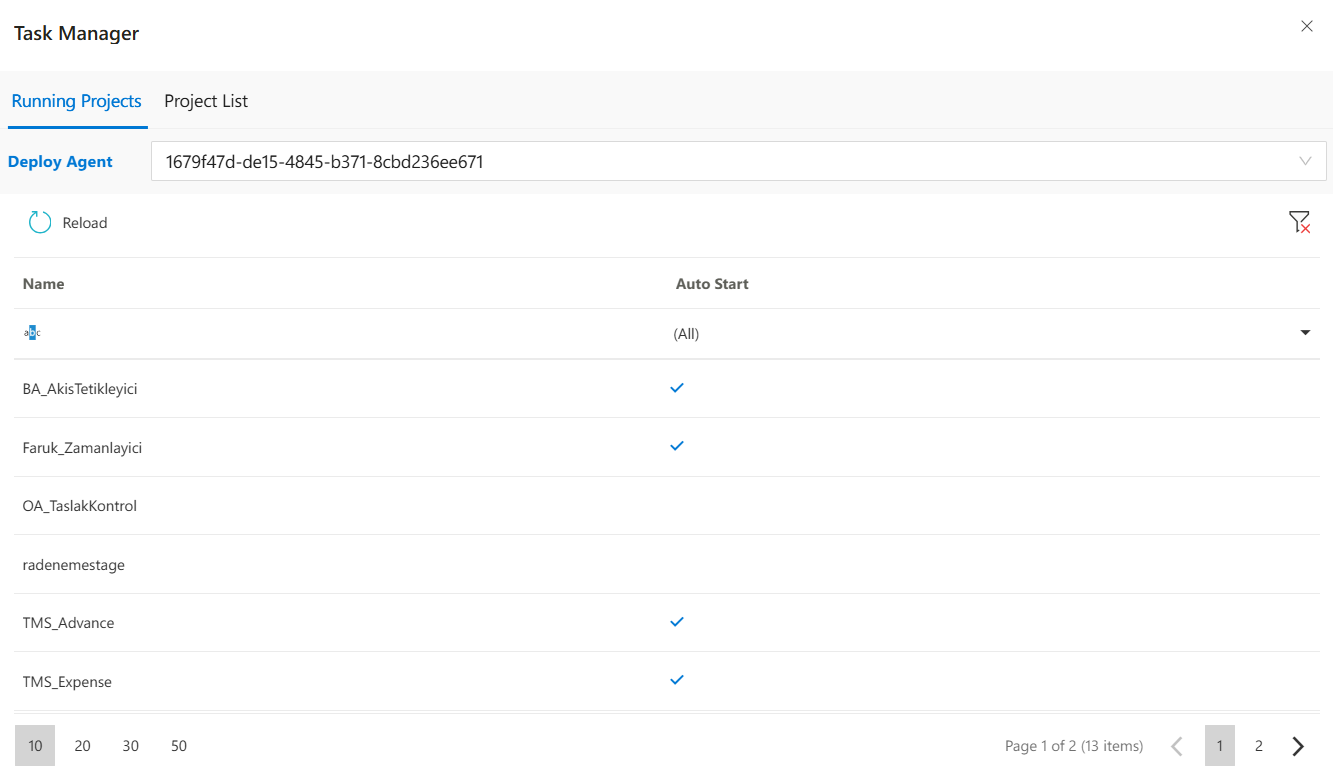
The Task Manager panel displays projects currently associated with a Deploy Agent. It allows users to filter projects, refresh the list, and view which tasks are marked for automatic start.
Features
Deploy Agent Selector:Choose the active Deploy Agent to list its associated projects.Project List:View project names and their “Auto Start” status.Filtering:Filter projects based on name or auto-start flag.Refresh Button:Reload data from the server.Pagination Controls:Choose to display 10, 20, 30, or 50 items per page.
Notes
- The panel helps DevOps and technical users monitor deployment status.
- The auto-start flag shows whether a project is configured to start automatically with the agent.
- Projects shown here are managed under the selected agent instance.
FAQs
- #linkDocument(DeveloperGuides.IDE.TaskManager.FAQsMD#Can I stop a project that is currently running?) (Can I stop a project that is currently running?)
- #linkDocument(DeveloperGuides.IDE.TaskManager.FAQsMD#What does the "Deploy Agent" dropdown do?) (What does the "Deploy Agent" dropdown do?)
How To's
- #linkDocument(DeveloperGuides.IDE.TaskManager.HowTosMD#How to filter projects by Auto Start status?) (How to filter projects by Auto Start status?)
- #linkDocument(DeveloperGuides.IDE.TaskManager.HowTosMD#How to refresh the project lists in Task Manager?) (How to refresh the project lists in Task Manager?)
- #linkDocument(DeveloperGuides.IDE.TaskManager.HowTosMD#How to view logs of a running project?) (How to view logs of a running project?)
- #linkDocument(DeveloperGuides.IDE.TaskManager.HowTosMD#How to stop a running project from Task Manager?) (How to stop a running project from Task Manager?)