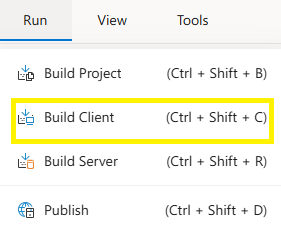
Build Client
The Build Client section in Synergy IDE allows developers to compile the client-side of their project, resolve UI-related issues, and verify recent interface changes.
The Build Client panel provides a streamlined workflow for initiating and troubleshooting the front-end (client) build process. This process compiles UI components, generates optimized bundles, and displays logs that help track errors and changes. It is commonly used after updates to forms, styles, or scripts that affect the user interface.
Features
- Run Build Client: Launches the client build process for the current project.
- Error Feedback Panel: Lists errors and warnings from the build result.
- UI Change Detection: Highlights changes made only on the UI side, useful for validation.
- Log Output Integration: Connects build results with the Output Panel for real-time feedback.
- Environment Awareness: Can be configured to target different environments (dev/test).
Notes
- Client builds do not affect server-side logic and are safe to run without backend changes.
- UI-only changes can be validated without publishing the entire solution.
- Errors must be resolved before continuing with deployment or packaging.
FAQs
- Why should I use Build Client?
- Is client build required after every change?
- What should I do if a client build fails?
- What is Build Client?
- Can I build only for UI changes?