Create Project From Template
Use the Create Project From Template wizard to quickly generate ready-to-use projects based on predefined templates and use-case scenarios.
What is "Create Project From Template"?
The Create Project From Template feature in Synergy IDE allows users to initialize a new project using curated templates categorized by department, purpose, or function. It helps teams start fast without designing from scratch.
Templates include built-in flows, forms, and configurations, allowing for immediate productivity.
Steps to Create a Project
The creation wizard consists of 9 steps, each focusing on a different configuration area:
Target– Define the project name, folder path, and target environment.Analyze– Preview included content and project structure.DM– Configure document management integration.Connection– Map system connections.HR– Assign personnel, roles, and HR objects.Form– Review and adjust form elements.Flow– Set up logic and process flows.PAT– Manage permissions and access control.Create Project– Finalize and generate the new project.
Step 1: Choose a Template
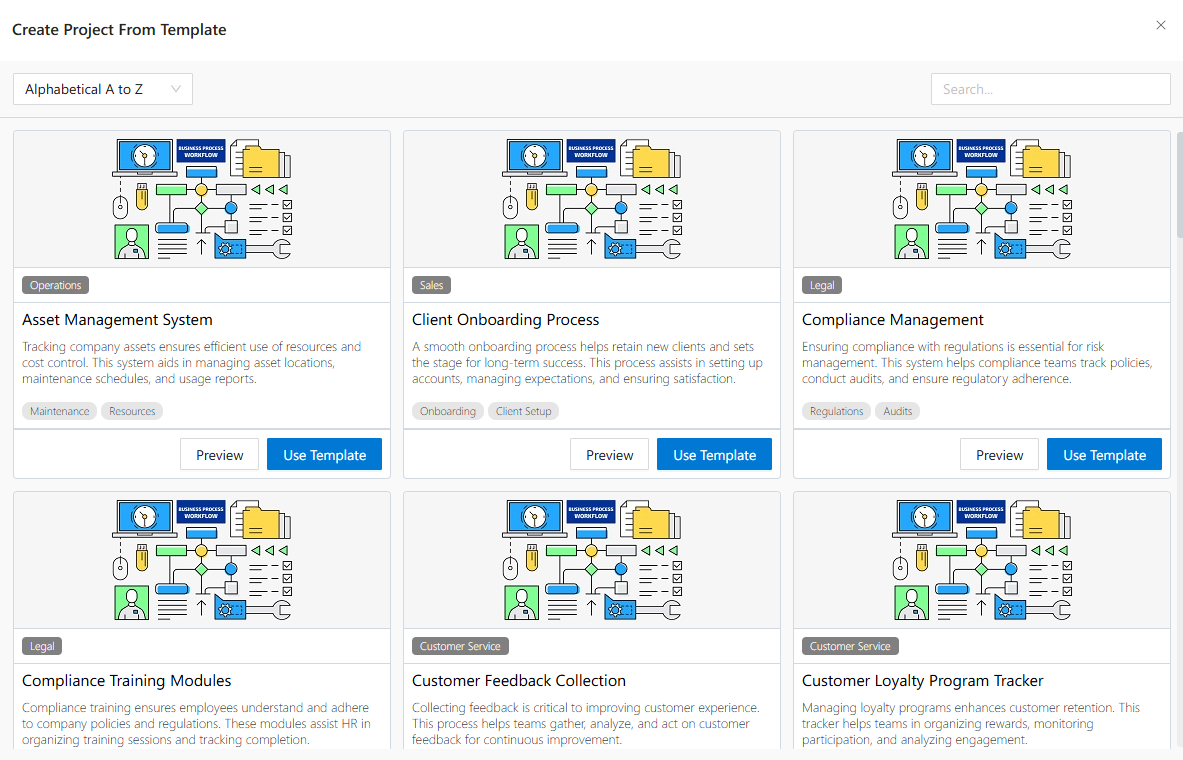
Start by browsing available templates on the Startup screen or under the File > Create Project From Template menu.
Each template card includes:
Template title and description
Business domain tags
Buttons for Preview and Use Template
Preview opens a documentation view describing the template contents, tools used, and implementation notes.
Use Template opens the project wizard prefilled with the selected structure.
Use Cases
- Quickly spin up reusable projects across departments.
- Build new solutions based on internal standards.
- Reduce onboarding time for new developers or analysts.
Best Practices
- Preview templates to ensure they align with your needs.
- Customize values like name/path before creating the project.
- Use the wizard steps to fine-tune flow, connection, and access configuration.
See Also
FAQs
- Can the template be customized before creating the project?
- What is the purpose of the Preview button?
- Are templates available to all users?