Position
The Position component represents user action steps within the workflow.
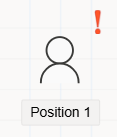
The Position component is used in a flow design to define stages where user interaction is required.
It typically assigns tasks or approvals to specific users, roles, or positions, making it a key element in human-driven workflows.
Key Features
- Represents
manual action pointsin a workflow. - Assignable to
Users,Roles, orPosition Groups. - Supports
eventssuch as Approve, Reject, or Send. - Records actions in the
flow historyfor auditing purposes.
Best Practices
- Use the Position component whenever a
decision or approvalis needed from a user. - Provide clear
event names(e.g., Approve, Reject) to guide user actions. - Combine with
Flow PauserorApproval Cancellerwhen complex approval logic is required.
FAQs
- What is the Forwarding feature and how does it work?
- How to add and configure events for the Position component?
- What is the purpose of the Members field?
- What is the purpose of the Position component?
- How to control flow history visibility for Position tasks?
- How does the Hide Approver option work?
- How does the Timeout feature work in Position component?
- What is the purpose of the GeoLocation property?
How To's
- How to add a new event for the Position component?
- How to configure members for the Position component?
- How to configure "If Processed Before Do Not Send Request"?
- How to configure timeout for Position tasks?
- How to enable and use the Forwarding feature?
- How to control flow history visibility for Position tasks?
- How to enable GeoLocation tracking for Position tasks?
- How to hide approver names in Flow History?