Node In and Node Out
Node In and Node Out objects are used to improve the visual clarity of the flow design screen by simplifying complex connection paths.
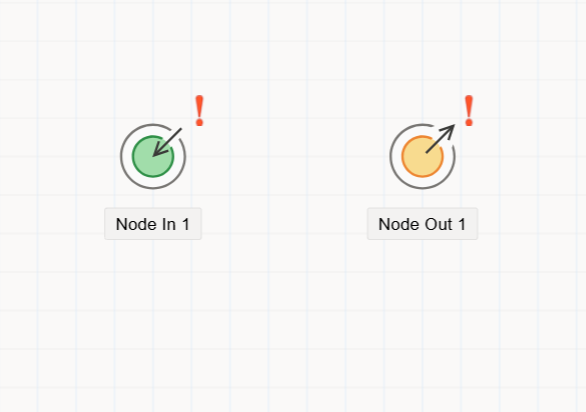
Node In and Node Out Objects
Node In and Node Out objects are used to reduce visual complexity when designing workflows. In cases where connection lines cross over multiple objects or each other, these objects help organize and clarify the visual structure of the flow.
These objects work as a pair:
- The flow is routed to a
Node Outobject. - Then it continues from the corresponding
Node Inobject. - This makes it easier to read and follow complex workflows without overlapping lines.
Use Case
When there's a need to jump from one section of the flow to another—especially across long distances or cluttered areas—Node In and Node Out can be used to create a clean transition.
They act like labeled shortcuts that maintain logical flow while improving visual design.
How to Use
- Drag a
Node Outobject from theToolboxpanel and place it on the flow designer. - Then drag a
Node Inobject to where the flow should continue. - Connecting the flow to the
Node Outwill automatically lead it to the associatedNode In.
Properties Panel
When either object is selected, the Property Viewer panel shows their settings:
1. Appearance Tab
Object Name: Internal system identifier of the object.Caption: The title shown in the UI.Is Lock: Prevents the object from being moved during design.Size: Width and height of the object.
2. Properties Tab
- Used to define matching identifiers or labels so that Node In and Node Out are linked correctly.
3. Events Tab
- These objects typically do not use events since their purpose is purely visual redirection. No code is usually required.