Function
The Function object is used in Synergy IDE flows to execute custom code blocks at any step in a process, enabling integration with external systems, data manipulation, or internal logic execution.
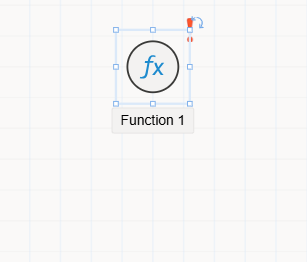
The Function object is designed for scenarios where developers need to execute logic or manipulate data within the workflow. It provides a method stub in the flow’s code-behind file, allowing custom C# logic to be written and executed when the flow reaches this step.
Features
- Automatically generates a method inside the flow’s code class (e.g.,
FlowName.cs) - Executes the defined logic
synchronouslyat the point where the function is placed in the flow - Ideal for:
- Writing to external databases
- Reading data from APIs or web services
- Accessing or modifying form/flow data
- Triggering internal system operations or integrations
How It Works
When the process execution reaches the Function node:
- The method associated with the Function object is invoked
- Any code written inside this method is executed
- The process continues based on the outcome or logic defined
Accessing Function Object
- Drag and drop the
Functionobject from the toolbox into your flow - Select the object to view and configure its settings via the
Properties Viewer Panel
Tabs in Properties Viewer
Appearance
Used to define visual aspects and metadata:
Object Name: Internal name used to reference this function programmatically.Caption: The label displayed on the canvas.Is Lock: Locks the object’s position to prevent moving it during design time.Size: Width and height dimensions of the object on the design surface.
Properties
Currently no configurable properties unique to Function (logic is defined in code editor).
Events
Defines the method that is executed during runtime:
- Navigate to the
Eventstab - Double-click the event line to auto-generate a method block in the flow’s
.csfile - Write your logic inside this method